Server Room Decommissioning: A Guide for Sydney Businesses
Server room decommissioning is the planned shutdown, data sanitisation, dismantling and removal of everything in a comms or server room, so the space can be handed back, refitted or reused. It goes wrong in two places: data leaves the building on drives nobody wiped, or the physical strip-out is left to the last week of a lease. Sydney City Rubbish handles the physical side for offices, warehouses and strata buildings, from unracking and cabling removal to e-waste and UPS battery removal, so your IT team can concentrate on data and records.
This guide covers the sequence we recommend for office managers, property managers, strata managers and project managers who own the outcome without being IT specialists.
TL;DR
- Decommission in order: inventory, backup, data sanitisation, shutdown, dismantling, removal, then records. Skipping ahead is how data and assets go missing.
- Under the Australian Government’s Information Security Manual, storage media must be sanitised, destroyed or declassified before equipment leaves your control, and a formal decision should authorise the release.
- Keep certificates and an asset-level record. They are your evidence if a drive or rack is ever questioned.
- Racks, cabling, UPS batteries and air-conditioning plant are physical jobs with their own hazards, and they sit squarely inside a strip-out or makegood scope.
- Sydney City Rubbish removes server room equipment and e-waste as part of commercial strip-outs and end-of-lease cleanouts, with carbon-neutral disposal available as an opt-in.
Table of Contents
- What server room decommissioning involves
- Start with a plan and an inventory
- Back up what you still need
- Sanitise data before anything leaves the room
- Power down, label and dismantle
- Removal, recycling and asset records
- How the server room fits into a wider strip-out or makegood
- Who does what: a simple split of responsibilities
- Get a quote for your server room
- FAQ
- Sources
What server room decommissioning involves
A server room is rarely just servers. A typical office comms room holds servers, storage arrays, network switches, patch panels, a UPS (uninterruptible power supply, the battery unit that keeps equipment running through outages), racks and cabinets, structured cabling, tape or backup devices, and often a dedicated split-system air conditioner. Decommissioning treats all of it as a single project with three tracks running together: data, hardware and building services.
The data track is about information. Every device that stores or has stored company or client data has to be identified, backed up if still needed, and then sanitised. The hardware track covers disconnecting, unracking and removing equipment and deciding where each item ends up. The building track covers cabling, power, cooling and making the room fit for its next use, which matters most at end of lease, when the landlord expects the space returned to the condition the lease specifies.
Treating these as one project is the difference between a tidy handover and a room full of unlabelled equipment two days before keys are due.
Start with a plan and an inventory
The UK National Cyber Security Centre’s guidance on decommissioning assets is a useful reference for the planning stage even though it is a UK document. It advises validating asset records, including what data each asset has processed, and storing assets securely while they wait for disposal. It also advises confirming that any replacement system works before you take an irreversible step.
In practice that means walking the room with a clipboard or tablet and recording, for each item, the make, model, serial number, location in the rack, what it did, what data it held and who owns it. Include the things people forget: old backup tapes, a retired NAS box under a desk, switches that only carry phones, and the multifunction printer that has been storing scans on its own drive.
The same NCSC guidance warns that decommissioning can have broader effects than expected. Its example is retiring a temperature-control asset and overheating the digital equipment still in the space. In an office, the equivalent is switching off a server that turns out to run door access, a phone system or building management software. Ask the people who use the room, and your building manager, before anything is powered down. Test and pre-production servers tied to a production system should be retired alongside it.
Before you inventory, settle three questions:
Who signs off the release of equipment? The Australian Signals Directorate’s Information Security Manual says a formal administrative decision should authorise the release of IT equipment into the public domain. Name that person early, whether it is the IT manager, a director or your risk officer.
When is the hard deadline? For an end-of-lease job, work backwards from the handover date and leave time for building access, lift bookings and a final clean.
Who else needs to know? Landlords, strata committees and building managers often control loading dock hours and lift protection. Sydney City Rubbish coordinates directly with building management for access, which removes a common source of delay on CBD and Parramatta sites.
Back up what you still need
Backup comes before wiping, because wiping is irreversible. Confirm that the data you need has been migrated and, critically, that the new system actually opens and uses it. Keep configuration files, licence keys, network diagrams and any audit evidence your compliance obligations require. If you are moving to a cloud or colocation provider, keep a copy of the old environment’s configuration until the new one has run through at least one full business cycle, including month-end processing.
Decide also what must be retained for legal or tax reasons. Records you are required to keep do not stop being required because the server that held them is going. Whoever owns records management should confirm the retention position before the sanitisation step starts.
Sanitise data before anything leaves the room
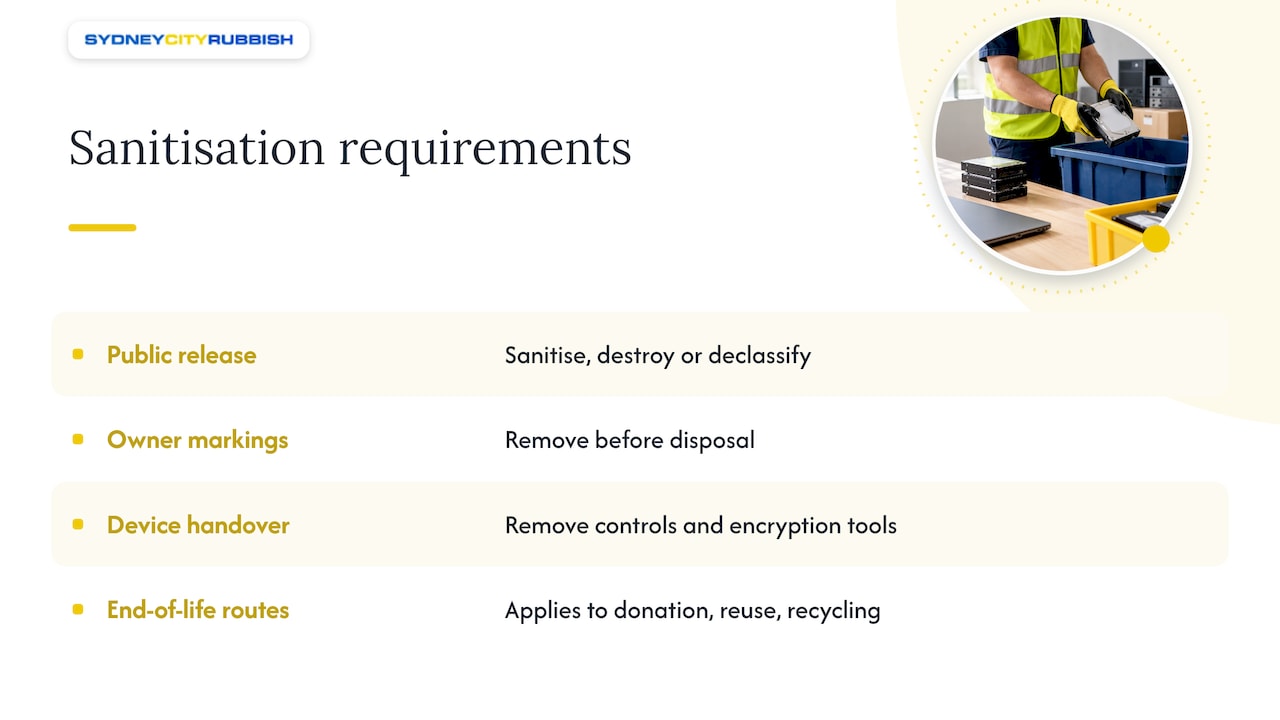
This is the step that carries the real risk, and the Australian rules are specific. The ASD’s Information Security Manual says IT equipment must be sanitised, destroyed or declassified before it is released into the public domain. It also says labels and markings that show the owner, sensitivity or classification should be removed before disposal. The media it lists include hard disks, flash cards and solid-state drives, volatile memory such as RAM sticks, and even the electrostatic memory in laser printer cartridges used in multifunction devices (see the ISM guidelines for IT equipment). The ISM is written for government, but private businesses commonly use it as the benchmark for what careful looks like.
The Australian Government Architecture Centre’s Sustainable Device Management Guide sets out how agencies handle this. It calls for multiple overwriting passes with verification, approved sanitisation software, a documented process, and removal of security controls and encryption tools before handover. It also says sanitisation must happen before you relinquish control of a device, including before donation, disposal or return under a leasing arrangement. That last point matters for leased servers and storage, which many businesses forget carry the same obligation.
Sanitisation applies whatever the end-of-life route. The same guide takes the position that the strict requirements hold whether a device is donated, reused or recycled.
Where drives are physically destroyed rather than wiped, method matters. PwC’s January 2026 Device Data Sanitisation report notes that degaussing, which uses a strong magnetic field to corrupt data on magnetic media, depends on the field exceeding the coercivity of the media. Coercivity varies between media types, brands and models, and if the field is too weak the data can still be recovered. Degaussing also does not apply to solid-state drives, which store data in flash memory rather than magnetically. Whoever carries out the destruction should be able to tell you which method they used on which asset.
We cover the practical arrangements in more detail in our guides to e-waste data destruction and data security in electronic waste disposal.
Power down, label and dismantle
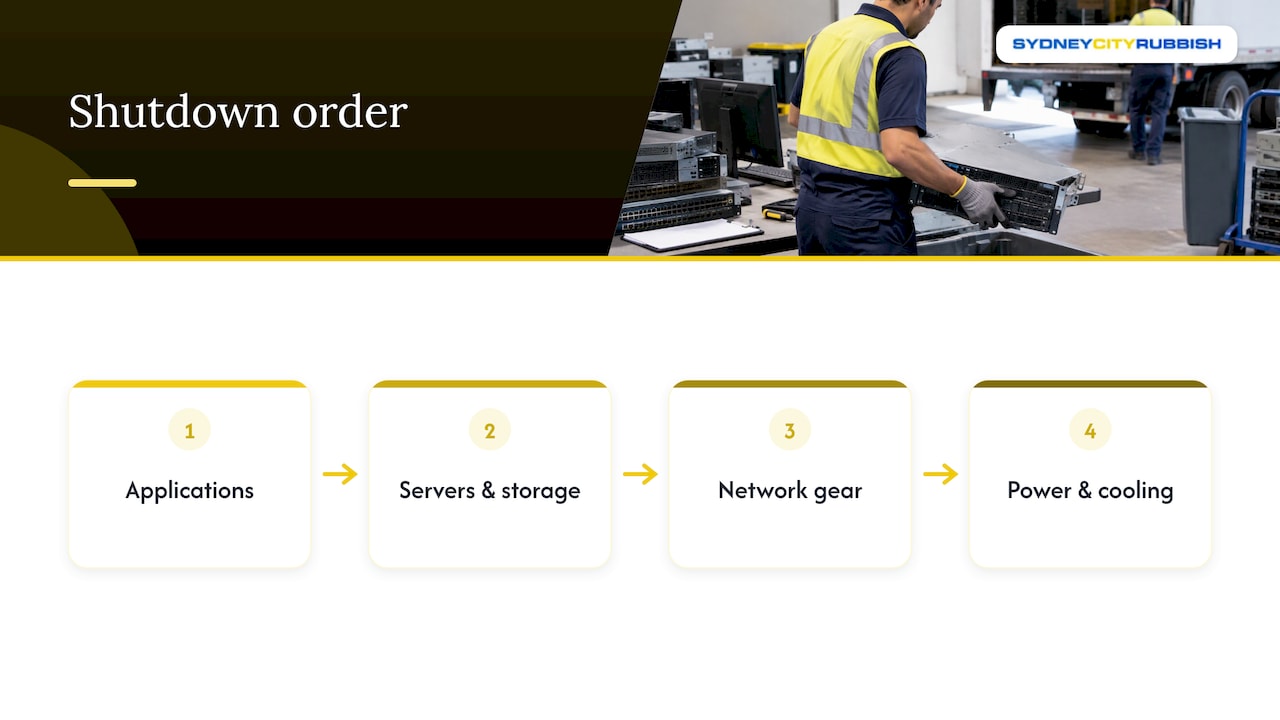
Once data is dealt with, the room becomes a physical job. Shut equipment down in the reverse order of dependency: applications first, then servers and storage, then network gear, then power and cooling last. Photograph the rack and cable layout before disconnecting anything, in case a device is later redeployed or something has to be reinstated.
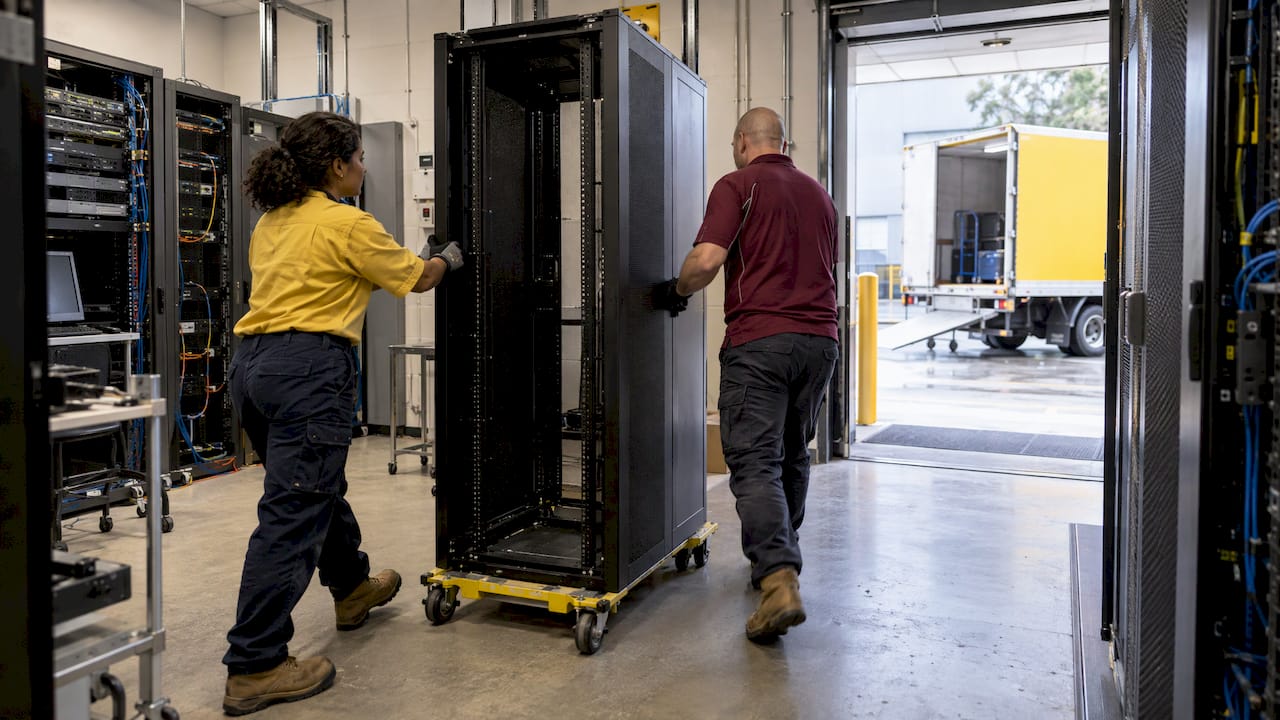
Unracking is heavy work. A populated server can weigh well over 20 kilograms, and a full-height rack with equipment can be far heavier than a person should move without a trolley and a second set of hands. Remove equipment from the top down to keep the rack stable, secure loose rails and bolts, and never tip a loaded cabinet. Labelling each cable before it is pulled saves time if any part of the room is reused.
Cabling is the part most often underestimated. Structured data cabling runs through ceilings, risers and floor cavities, and at end of lease many landlords want it removed back to the patch panel or the riser. Our guide to removing data cabling and IT infrastructure during a strip out explains how this fits into a wider strip-out scope.
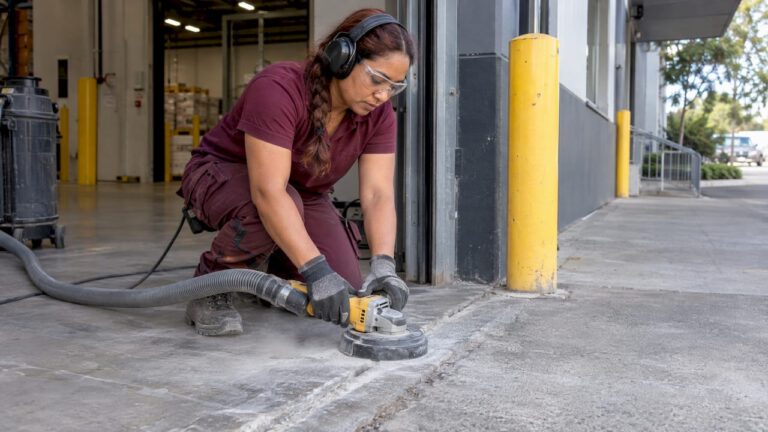
UPS units contain batteries that need separate handling, and they are one of the items most likely to be refused at a general tip. Our UPS battery disposal compliance guide covers what Sydney businesses need to arrange. Cooling plant and raised flooring come next: if the room has a raised access floor, floor finish removal and, where needed, concrete grinding return the slab to a state the next tenant or landlord will accept.
Removal, recycling and asset records
Every item needs a destination: reuse inside the business, resale or donation, recycling, or certified destruction. The AGA guide says partners handling devices should be accredited and follow security standards, and that supply chain risk assessments should cover secure transport. The NCSC guidance adds chain-of-custody tracking, verifying that sanitisation was effective and keeping certificates as evidence.
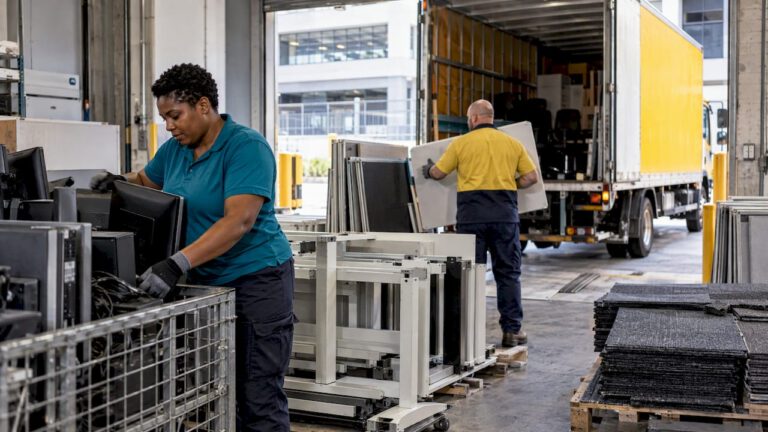
That translates into a short list of documents to hold on file once the room is empty, written here as a paragraph rather than a checklist: the final asset register showing each item and its destination, the sanitisation or destruction certificate for each storage device, the removal docket or waste record from the contractor, and the formal sign-off that authorised release. If an auditor, insurer or client asks in two years where a particular drive went, this file is the answer. Our page on asset-level certificates for business computer recycling explains why records at the level of the individual item matter.
Sydney City Rubbish disposes of waste responsibly through registered recycling partners, and corporate clients can opt in to carbon-neutral waste disposal. Quotes are electronic and fast, and we guarantee punctuality with compensation if we are late. For a time-critical handover, that last point matters as much as the price.
How the server room fits into a wider strip-out or makegood
Most server rooms are decommissioned as part of something larger: an office relocation, a lease expiry or a refurbishment. That is why the physical removal works best when it is scheduled with the rest of the fit-out. Makegood, the work of reinstating a tenancy to the condition set by the lease, often includes removing comms rooms, cabling, partitions, ceilings and floor finishes. Done by one contractor, the sequence is simpler: the server room clears first, then cabling and ceilings, then floors.
Our office server room strip out and e-waste removal service is built for exactly this. For the broader programme, our office decommissioning checklist lays out a phased plan for facility managers.
A realistic timeline for a single small comms room is a matter of days of physical work. The preparation, however, takes weeks: inventory, backups, sanitisation scheduling and building access. Start the data track at least a month before the removal date, and book removal as soon as the handover date is firm.
Who does what: a simple split of responsibilities
It helps to be explicit about ownership, because decommissioning often fails at the seams between teams.
Your IT team or managed service provider owns the inventory, backups, migration and data sanitisation or its supervision. Your facilities or property manager owns building access, the lease position and the handover. The removal contractor owns the safe physical removal, transport and responsible disposal of what is left. The person who signs the release owns the decision that equipment can leave.
When the physical work is contracted to a single commercial operator, the property manager gets one point of contact and one set of records instead of coordinating an electrician, a cabler, a skip and a courier. Sydney City Rubbish covers truck and driver hire, building strip out, makegood and de-fit, furniture and joinery removal and e-waste under one roof, which suits a server room that sits inside a larger project.
Get a quote for your server room
If you are planning a server room decommissioning in Sydney, tell us the room’s location, the approximate number of racks and whether it forms part of an end-of-lease job. We will coordinate access with building management and quote electronically. Start with our commercial waste removal service or see the full range on our what we do page, and get a free quote now.
FAQ
What is the difference between decommissioning a server and a server room?
Decommissioning a server retires one machine from your network: backing up its data, wiping it and removing it. Decommissioning a server room covers every device in the space, plus racks, cabling, power and cooling, and usually has a building or lease deadline attached.
Do I have to wipe drives before recycling servers?
Yes. The Australian Government’s Information Security Manual requires media to be sanitised, destroyed or declassified before equipment is released, and the guidance applies whether equipment is donated, reused or recycled. Keep the certificate or report for each device as your record.
How should server racks be disposed of?
Empty racks and cabinets are mostly steel and are normally recycled as metal, once any asset labels or markings that identify your business are removed. Populated racks must be emptied and the equipment sanitised first. We remove racks and cabinets as part of a server room strip-out.
Can the server room be cleared as part of an end-of-lease makegood?
Yes, and it is usually more efficient. Clearing equipment, cabling, ceilings and floor finishes in one planned sequence avoids repeat access bookings and keeps the handover date achievable.
How far ahead should I plan?
Plan the data track a month or more before removal, and book the physical removal as soon as the handover or relocation date is confirmed.
Sources
- Decommissioning assets, UK National Cyber Security Centre
- Guidelines for information technology equipment, Australian Signals Directorate Information Security Manual
- Sustainable device management guide, Australian Government Architecture Centre
- Device Data Sanitisation report, PwC Australia