E-waste data destruction: what businesses need to arrange
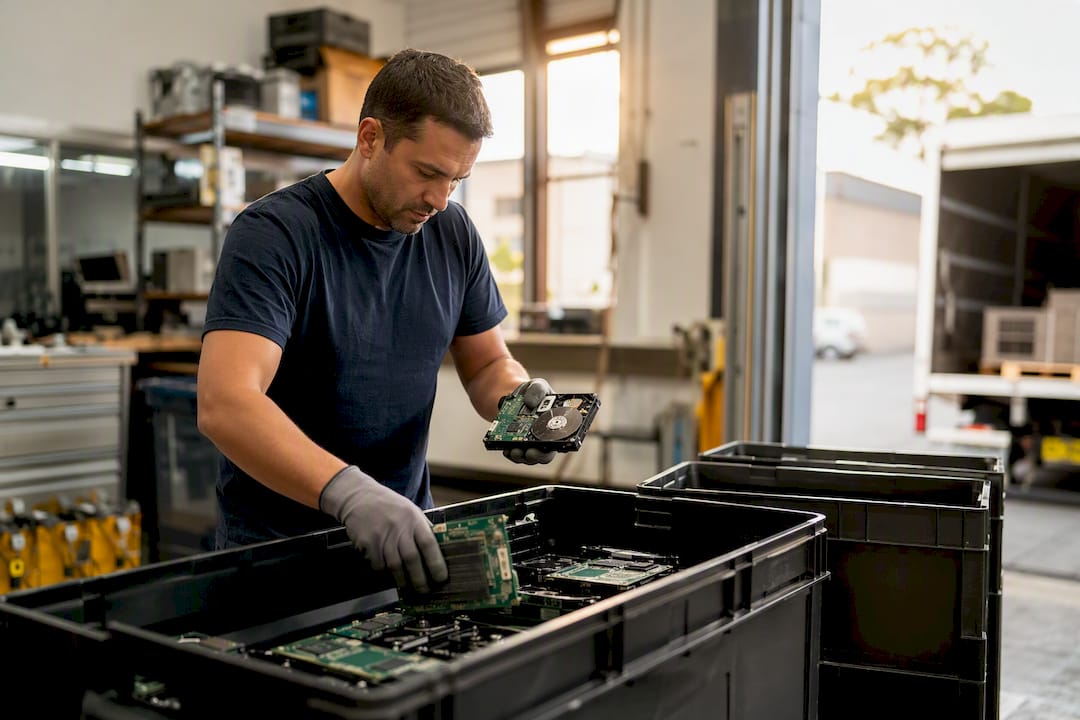
E-waste data destruction is the certified, documented process of irretrievably removing data from retired hardware before it’s recycled. If your business is offloading old computers, servers, or drives, the action is straightforward: hire a provider that supplies a serialised Certificate of Destruction and chain-of-custody documentation for every device. Without those two things, you have no proof the job was done properly.
TL;DR:
- Certified e-waste data destruction requires a serialised Certificate of Destruction and chain-of-custody records for every device to prove proper handling.
- Combining secure asset logging, transport, and destruction with traceability through recycling streams ensures responsible disposal and supports audit readiness.
- Data sanitisation methods differ by device, with software erasure suitable for operational drives and physical destruction necessary for damaged or high-risk media.
- Certificates of destruction must include device details, destruction method, date, technician ID, and verification results to meet compliance standards.
- Choosing a certified provider involves verifying documentation, standards alignment, witnessed destruction options, clear pricing, and a track record of downstream transparency.
Table of Contents
- Understanding the e-waste data destruction process
- How do you destroy data on hard drives, SSDs and removable media?
- What proves your e-waste disposal is audit-ready?
- Checklist for choosing a certified e-waste data destruction provider
- How Sydneycityrubbish handles secure e-waste removal
- Book a secure e-waste collection
- Sources
Understanding the e-waste data destruction process
Businesses often assume data destruction and e-waste disposal are two separate jobs handled by two separate vendors. They shouldn’t be. A properly run process treats data sanitisation and physical recycling as one continuous chain, with documentation at every handoff.
It starts with asset logging. Before anything leaves your premises, a competent provider records serial numbers, make and model for every device, creating a manifest you can check against later. This manifest is your first line of defence if a device ever goes missing between your office and the recycling facility.
Secure transport follows. Devices should travel in sealed or locked containers, with the vehicle and driver identifiable and the route tracked. Interim storage, if there is any, needs the same locked-and-logged treatment. Loose boxes of old laptops sitting in an unsecured warehouse for three weeks defeats the purpose of everything that came before.
From there, destruction happens either on-site or off-site:
- On-site destruction suits highly sensitive data (financial records, health information, government contracts) where the device never leaves your custody until it’s physically unreadable.
- Off-site processing works for lower-risk, higher-volume jobs, such as clearing out a floor of retired office PCs, where transport to a certified facility is faster and cheaper.
Once destruction is confirmed, the material moves into the recycling stream. Traceability doesn’t stop at the shredder. A properly certified processor tracks materials through to the final downstream recycler, so you can verify your old hardware didn’t end up shipped offshore or dumped rather than processed responsibly.
How do you destroy data on hard drives, SSDs and removable media?
The method depends entirely on the device, and using the wrong one is one of the most common mistakes procurement teams make. Hard disk drives (HDDs) and solid-state drives (SSDs) don’t respond to sanitisation the same way, despite looking similar from the outside.
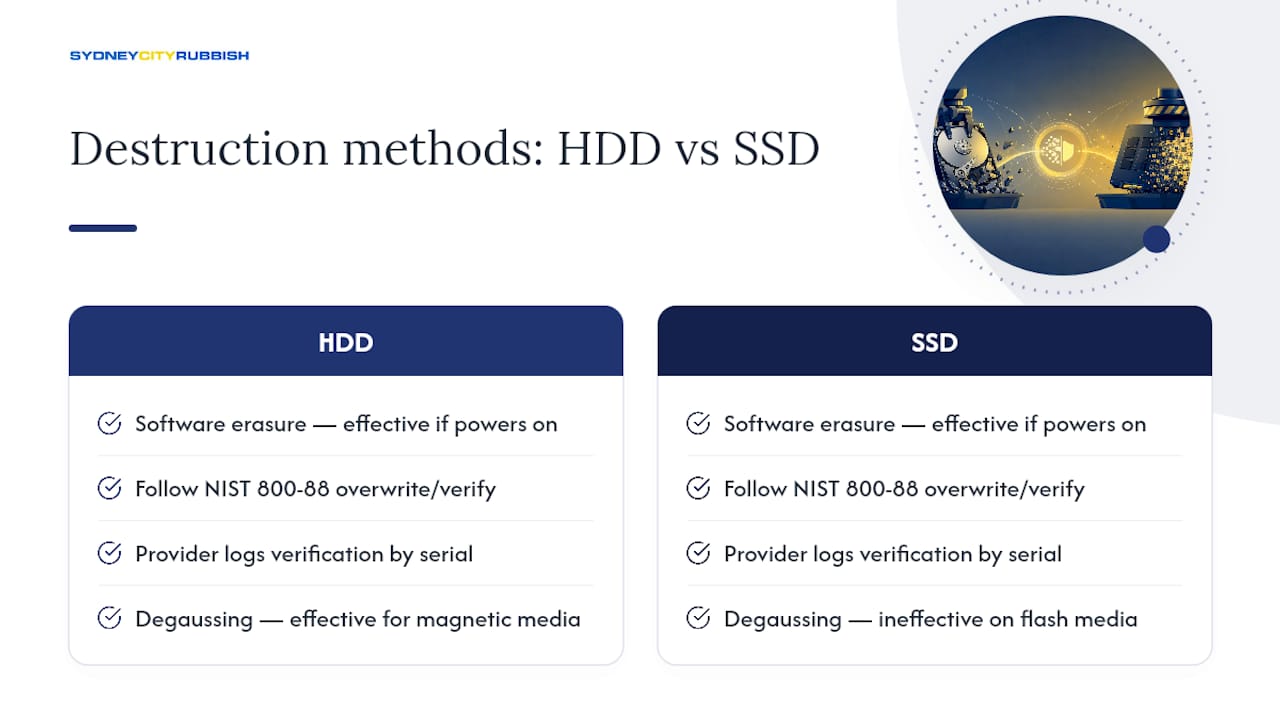
For drives that still power on and read correctly, software erasure is often the fastest and most cost-effective option. The NIST 800-88 Rev. 2 guidelines set out “purge” and “clear” level overwriting standards, paired with a verification pass to confirm the wipe actually worked rather than just assuming it did. A reputable provider logs that verification result against the device’s serial number.
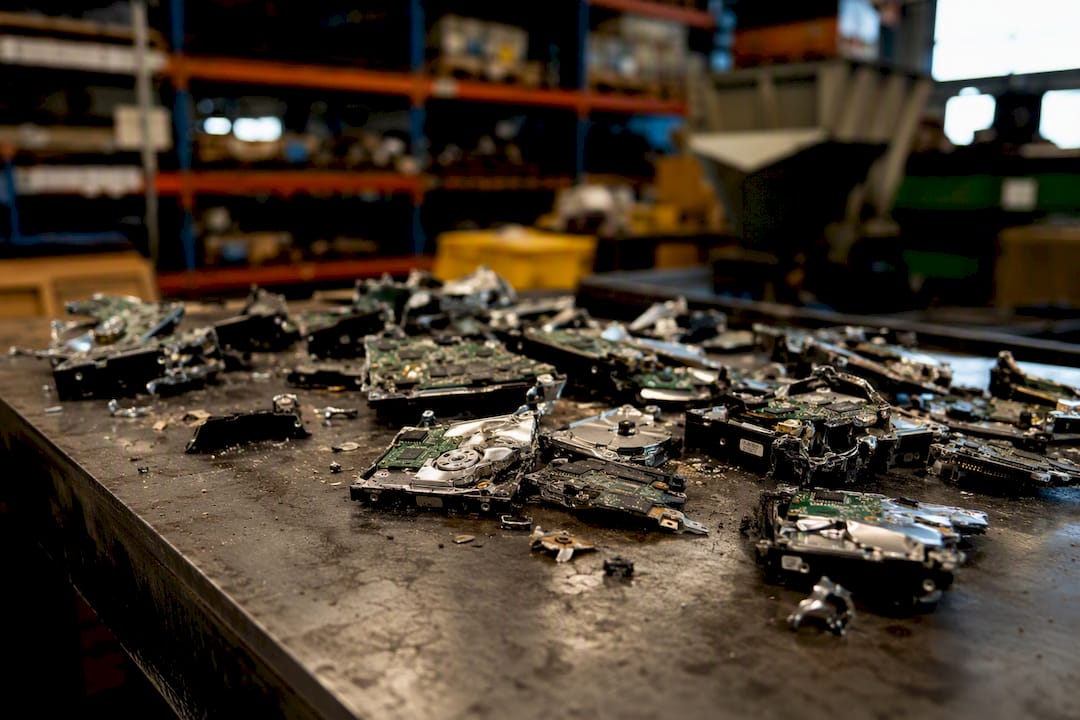
Physical destruction is the fallback for drives that are damaged, unreadable, or simply don’t meet your risk tolerance for software-only sanitisation. Shredding, disintegration and hammer-milling all reduce a drive to fragments, but particle size matters more than most buyers realise. The Australian Information Security Manual specifies particle-size outcomes for higher classifications of data, meaning a rough shred that leaves large fragments intact may not meet the standard your organisation actually needs.
Degaussing, which uses a powerful magnetic field to scramble data, works well on traditional magnetic HDDs and tapes but does almost nothing to SSDs, USB drives, or embedded flash like NVMe and eMMC chips, because those store data electronically rather than magnetically. If your fleet includes solid-state laptops, degaussing alone is the wrong tool for the job.
Optical disks and tape media need their own handling protocols, and any device that’s physically shattered or unresponsive should skip software erasure entirely and go straight to physical destruction with photographic evidence. For classified, financial, or health data, insist on witnessed on-site destruction or video verification. It’s the difference between trusting a paper trail and watching the job happen.
What proves your e-waste disposal is audit-ready?
Under the Privacy Act 1988, organisations must take reasonable steps to destroy or de-identify personal information once it’s no longer needed. The OAIC treats certificates and chain-of-custody records as the clearest evidence that those reasonable steps were actually taken, not just claimed.
For high-security requirements, the ASD’s Information Security Manual and NIST 800-88 Rev. 2 both set sanitisation benchmarks matched to media type and classification. Recyclers handling the physical side should align with AS/NZS 5377, the standard governing collection, transport and treatment of end-of-life electrical and electronic equipment, which also carries data security and traceability obligations for the recycling chain itself.
An audit-ready Certificate of Destruction should include:
- Device make, model and serial number
- Destruction or erasure method used
- Date and time of destruction
- Technician name or ID
- Verification pass results confirming the outcome
Missing even one of these creates a gap an auditor will flag. Practitioner guidance on the NIST 800-88 revision is blunt about this: a certificate without device-level serialisation and technician sign-off isn’t really audit evidence at all.
Pro Tip: Keep destruction certificates filed against your asset register, not in a separate compliance folder. If you ever need to prove a specific serial number was destroyed on a specific date during a breach investigation, you don’t want to be searching two systems.
These records also matter beyond routine audits. If a data breach investigation ever asks what happened to retired hardware, a complete certificate and manifest trail is what closes that question quickly.
Checklist for choosing a certified e-waste data destruction provider
Before signing off on a vendor, run through this list. It’s the same set of questions a procurement audit will eventually ask you.
- Documentation capability. Do they issue serialised certificates automatically, or is it an optional extra?
- Standards alignment. Can they show ISO certification or AS/NZS 5377 alignment for their recycling operations?
- Witnessed destruction. Do they offer on-site witnessed destruction or video verification for sensitive jobs?
- Operational terms. What’s the turnaround time, and are they insured for the value and liability of the data involved?
- Pricing structure. Is the quote per-device for software erasure, or per-load for physical destruction, and does it clearly separate the two?
Watch for red flags: no certificate offered as standard, vague answers about where materials go after collection, or any suggestion that unsold or unrecycled material might end up in landfill. Industry guidance from the Australasian Recycling Platform recommends favouring providers who prioritise reuse and refurbishment once secure sanitisation is confirmed, and who can demonstrate they audit their own downstream processors rather than just taking them on faith.
How Sydneycityrubbish handles secure e-waste removal
Sydneycityrubbish builds every commercial e-waste job around the checklist above. Collection is logged against a proper manifest, custody is tracked from your premises through to certified downstream recycling, and documentation follows the equipment rather than trailing behind it. This sits alongside our broader corporate and commercial waste removal work across offices, retail fitouts, and construction sites, where the same standard of accountability applies to every load.
Clients also have the option to route their e-waste through our carbon-neutral disposal pathway, delivered in partnership with Carbon Neutral, without adding complexity to the booking. Punctual collection and full cleanup are standard on every job, not an upgrade. When you request evidence, you receive the manifest, the Certificate of Destruction, and confirmation of recycling as a matter of course, not something you have to chase down afterwards.
Book a secure e-waste collection
Sorting out compliant e-waste disposal doesn’t need to sit on your to-do list for another quarter. You can request a quote or schedule a secure collection directly through Sydneycityrubbish, whether it’s a handful of retired servers or a full office refresh. Once booked, you’ll receive a signed manifest, a serialised Certificate of Destruction for every device, and a Certificate of Recycling confirming where the material ended up. If sustainability reporting matters to your organisation, the carbon-neutral disposal option is available at no extra complexity, so your e-waste program can tick both the compliance box and the environmental one at once.
Sources
- OAIC — Guide to securing personal information
- NIST — Guidelines for media sanitization (Rev. 2)
- Australian ISM — Information Security Manual (September 2024)
- ANZRP — elevating recycling standards